Android · Shiori · Offline first
Your library, even with the radio off.
MyLinks keeps your self-hosted Shiori bookmarks on your phone: the whole library, every tag, the article text itself. Search and reading work in airplane mode — the server is where they are backed up, not where they live.
~1.6 MB Android 8.0+ Free & open source No Google services
01
Plane mode is the normal case
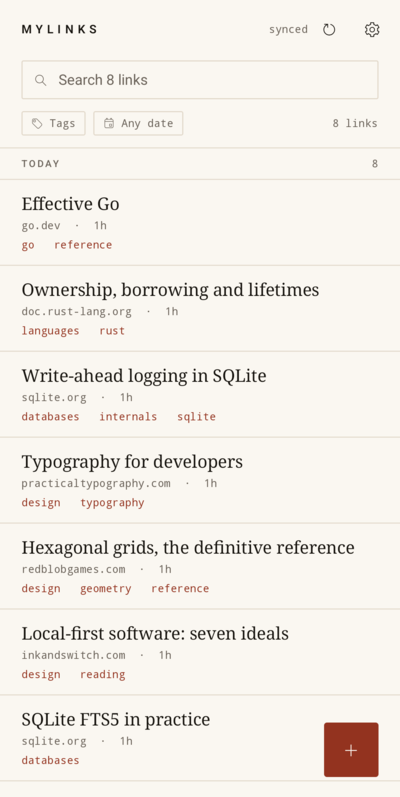
Your whole library is on the phone after the first sync. The list, the tags and the dates never wait on a request.
02
No Google services
No Play Services, no Firebase, no Google account. Background sync keeps working on de-Googled ROMs.
03
One server, one account
Point it at the address of your own Shiori instance and sign in. Nothing is guessed and nothing is sent anywhere else.
What it does
Built around the phone in your hand, not the server in a rack.
Save from anywhere
Share a link from a browser, a feed reader or a chat app and pick MyLinks. The URL is already in place; the bookmark is saved on the phone at once and uploaded later — so a save in airplane mode is a save.
share sheetworks offline
Find it on the device
Tag chips sit under the search field and narrow the list instantly; pick two and you get only what has both. A separate tag screen holds every tag, alphabetical, with counts.
local searchtagsdates
Read without a network
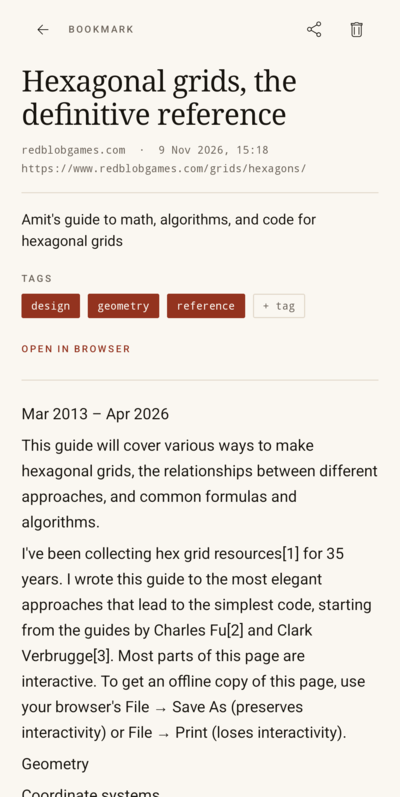
Every article Shiori has text for is downloaded to the phone and printed right on the bookmark page. No extra tap, no web view, no request — reading works with the radio off.
offline readingon the page
Sync that waits for you
Sync when you open the app, come back to it, pull to refresh, save something, and every six hours in the background. What you saved offline is uploaded in order the moment there is a signal.
background syncnothing lost
The look
Warm paper and hairlines, not cards and drop shadows.
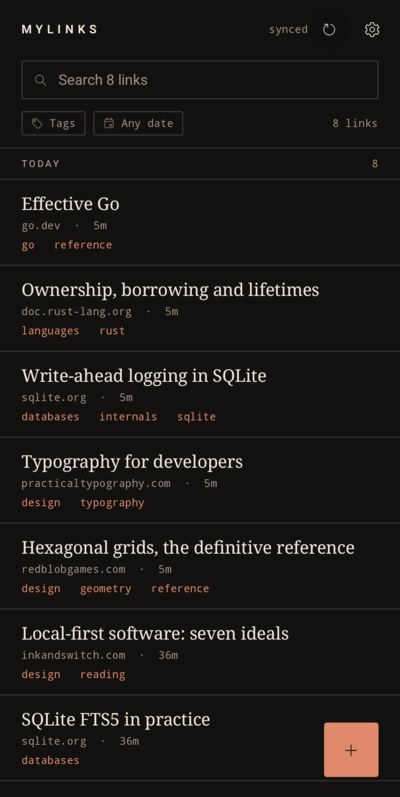
The app reads like a printed index: warm paper, ink, a single oxblood accent, an oversized serif for titles, monospace for dates and tags.
There are no thumbnails, on purpose. Cover images download badly, cache badly and mean nothing offline; a type-only list is quicker to scan and stays honest in airplane mode.
Get it
One APK, one address, no account beyond your own instance.
Android 8.0 or newer and a Shiori 1.8.x instance you can reach — that is the whole requirement list. Free software, no sign-up, no subscription.